
Yasuo Keyboard2.033 - Google Play
You'll be able to see results in few seconds.
Publisher Description
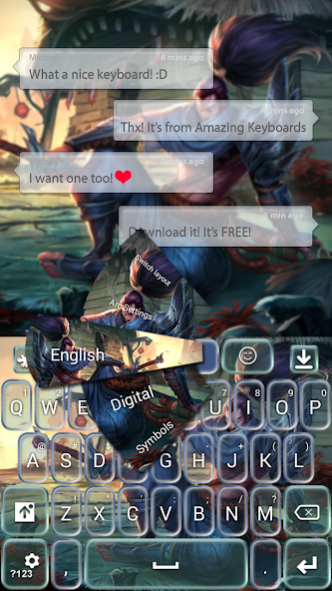
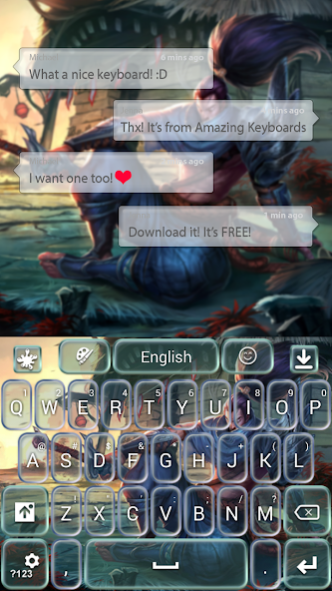
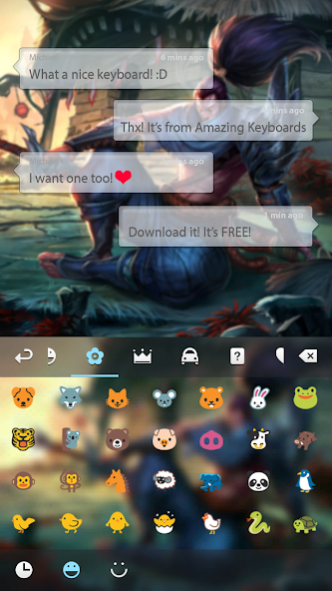
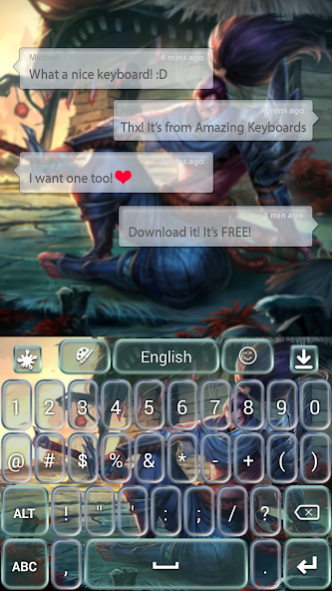
Yasuo, The Unforgiven, is here to stay on your device. His trusty sword will guide him and youself to justice every time.
Yasuo is an amazingly versatile champion in the popular game League Of Legends, aka LoL, from Riot Games. Yasuo is mostly a midlaner, but he can play multiple roles, if you gear him up properly. This champion is easy to learn, but very hard to master, a very good Yasuo player will drive you crazy. Yasuo can block many shots, while sliding from target to target.
Yasuo is the only champion in League of Legends that has mastered the wind technique, so you should be carefull not to get knocked up in the air by anything, because that means that he can jump on you with his ultimate, Last Breath.
Have some fun with your friends, gather around, play the Summoner Rift and destroy all of your enemies and the enemy Nexus.
Yasuo, the Unforgiven, obeys Riot Games (the creators of League of Legends, or LoL), rules and regulations for mobile app development and we have permission to publish apps with League of Legends game data, without the logo.
GO Keyboard Themes are only available for smartphones with GO Keyboard app installed.
You can install GO Keyboard from here -
GO Keyboard
How to Apply:
Step 1. Press Download.
Step 2. Press the "Open" button from here (after the installation is done) and then press "Apply this Theme" button.
You will find this theme in "Local".
This theme is at high-resolution, perfect for every smartphone, and it's translated in different languages.
Please don't forget to Rate and Comment after you install, your opinion is very important to us!
And try out our other apps, we have many beautiful themes for your android smartphone!
Contact us at amazing.keyboardthemes@gmail.com with any suggestions or questions you have.
Thank you for choosing us! Have fun with this amazing Go Keyboard Theme.
About Yasuo Keyboard
The company that develops Yasuo Keyboard is Premium Keyboards. The latest version released by its developer is 2.033.
To install Yasuo Keyboard on your Android device, just click the green Continue To App button above to start the installation process. The app is listed on our website since 2020-02-06 and was downloaded 0 times. We have already checked if the download link is safe, however for your own protection we recommend that you scan the downloaded app with your antivirus. Your antivirus may detect the Yasuo Keyboard as malware as malware if the download link to com.jb.gokeyboard.theme.amazing.keyboardthemes.yasuo is broken.
How to install Yasuo Keyboard on your Android device:
- Click on the Continue To App button on our website. This will redirect you to Google Play.
- Once the Yasuo Keyboard is shown in the Google Play listing of your Android device, you can start its download and installation. Tap on the Install button located below the search bar and to the right of the app icon.
- A pop-up window with the permissions required by Yasuo Keyboard will be shown. Click on Accept to continue the process.
- Yasuo Keyboard will be downloaded onto your device, displaying a progress. Once the download completes, the installation will start and you'll get a notification after the installation is finished.
Program Details
System requirements
Download information
Pricing
Version History
version 2.033
posted on 2020-02-06
- Updated Theme Browser
Disclaimer
Official Google Play Link
We do not host Yasuo Keyboard on our servers. We did not scan it for viruses, adware, spyware or other type of malware. This app is hosted by Google and passed their terms and conditions to be listed there. We recommend caution when installing it.
The Google Play link for Yasuo Keyboard is provided to you by apps112.com without any warranties, representations or guarantees of any kind, so access it at your own risk.
If you have questions regarding this particular app contact the publisher directly. For questions about the functionalities of apps112.com contact us.
